
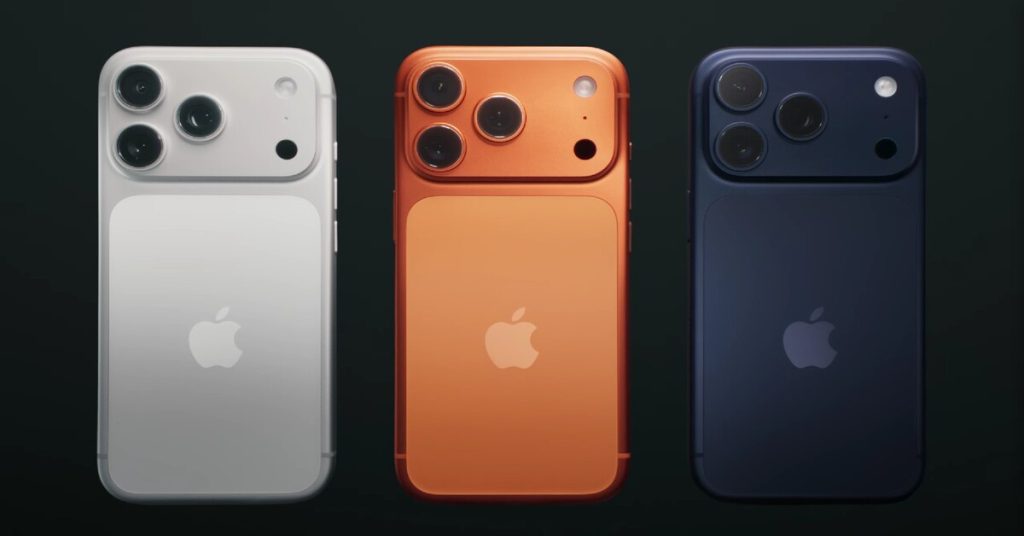
How to Optimize iPhone Battery Life in 2026
Table of Contents
How to Optimize iPhone Battery Life in 2026: Keep Your Device Charged Longer
Your iPhone is a powerhouse of technology, but no matter how advanced the model, battery life can always be a concern. In 2026, with the latest iPhone series pushing performance and display limits, keeping your device charged and healthy is more important than ever. Here’s a comprehensive guide with practical tips to optimize your iPhone battery and extend its lifespan.
Understand Your iPhone Battery Health
Before diving into optimization tips, it’s important to check your battery health:
- Go to Settings > Battery > Battery Health & Charging.
- Here, you’ll see maximum capacity and whether your battery supports peak performance.
- If your battery health is below 80%, it might be time to consider a replacement for optimal performance.
Knowing your battery’s current condition helps you make the right decisions for its longevity.
Enable Optimized Battery Charging
Apple introduced Optimized Battery Charging to reduce battery aging:
- Go to Settings > Battery > Battery Health & Charging.
- Turn on Optimized Battery Charging.
- Your iPhone will learn your charging habits and slow the charge past 80% until you need it, reducing wear over time.
This simple setting can extend the overall lifespan of your iPhone battery.
Adjust Screen Brightness & Display Settings
The display consumes the most power on your iPhone. Here’s how to save battery without losing clarity:
- Enable Auto-Brightness under Settings > Accessibility > Display & Text Size.
- Use Dark Mode for OLED screens to reduce power usage.
- Reduce Screen Timeout in Settings > Display & Brightness > Auto-Lock to 30–60 seconds.
Even small tweaks here can make a big difference, especially on newer iPhone models with high refresh rate screens.
Manage Background App Activity
Apps running in the background can drain battery silently:
- Go to Settings > General > Background App Refresh.
- Disable background refresh for apps you rarely use.
- Review Location Services under Settings > Privacy & Security > Location Services and restrict apps that don’t need constant access.
This reduces unnecessary battery consumption and also protects your privacy.
Keep Your iPhone Cool
Heat is a silent enemy of battery life:
- Avoid leaving your iPhone in direct sunlight or hot cars.
- Remove heavy cases during charging if your phone tends to get warm.
- Avoid intensive gaming or video editing while charging, as this can generate excess heat.
Proper temperature management preserves battery capacity over time.
Use Low Power Mode Strategically
Low Power Mode can be a lifesaver:
- Enable it under Settings > Battery.
- This mode reduces background activity, automatic downloads, and visual effects.
- It’s perfect for long days without access to a charger.
For regular use, consider turning it on when your battery drops below 20–30%.
Update iOS Regularly
Apple often releases updates that improve battery performance:
- Go to Settings > General > Software Update.
- Keeping your iPhone updated ensures you benefit from new battery optimizations and bug fixes.
New iOS updates in 2026 are expected to bring better energy management features for the latest iPhones.
Charge Smartly
How you charge your iPhone affects its battery life:
- Avoid letting the battery drop to 0% frequently.
- Aim to keep it between 20% and 80% for optimal longevity.
- Use Apple-certified chargers and cables to prevent damage.
Fast charging is convenient, but try not to make it a habit to reach 100% quickly every day.
Limit Push Notifications & Automatic Fetch
Notifications may seem harmless but can wake your phone constantly:
- Go to Settings > Notifications and limit unnecessary alerts.
- For email apps, switch from push to fetch or manual updates.
- This reduces background activity and extends battery life throughout the day.
Monitor Battery Usage
Track which apps consume the most power:
- Go to Settings > Battery.
- Review battery usage by app for the last 24 hours or 10 days.
- Consider alternatives for heavy battery-draining apps or adjust their settings.
This helps you make data-driven decisions on app usage.
Final Thoughts
With iPhones becoming more powerful every year, battery optimization will be essential in 2026. By combining smart charging habits, system settings tweaks, and app management, you can enjoy longer battery life and ensure your iPhone performs at its best.
Start implementing these tips today, and your iPhone will thank you tomorrow—literally.
You Can Also Read: iPhone 17 Pro Max Review 2025: Why Apple’s latest iPhone is making fans rethink upgrades—see what’s new and if it’s worth your money.